
For eCommerce brands in 2026, TikTok is one of the most effective direct-response platforms available, and the numbers back that up.
Many online stores throw away their first $2,000 on incompatible formats. They run polished ads that feel like TV commercials. They under-budget campaigns and then complain about the algorithm. They also skip the Pixel setup, leaving a significant share of their conversions untracked.
This pattern repeats across a great deal of eCommerce accounts. And fixing it requires understanding how TikTok’s ad system works.
In this article, you will learn in depth about TikTok ads for eCommerce, including campaign setup, Pixel and Events API configuration, creative testing frameworks, cost benchmarks, and the mistakes that prevent TikTok eCommerce ads from scaling profitably.
Table of Contents
Get Up to $6,000 in Free TikTok Ad Credits
TikTok offers ad credit incentives for new advertisers, helping you test campaigns with a lower upfront cost.
Are TikTok Ads worth it for eCommerce in 2026?
For most visually demonstrable products, yes. Well-executed TikTok ads for eCommerce consistently outperform many traditional social campaigns because they combine product discovery, creator content, and fast purchase journeys within a single platform.
According to TikTok for Business research, 61% of TikTok users discover new brands and products directly on the platform, 1.5x the rate of other social networks, and those users are 1.5x more likely to go buy something immediately after finding it there.
Conversion rates and costs vary significantly based on whether you use TikTok Shop’s in-app checkout or send buyers to an external site.
The full benchmarks are covered later in this article. Fashion, beauty, home goods, health, and consumer electronics consistently see the strongest performance. The common thread is products that are more compelling to watch than to read about.

Why TikTok Ads for eCommerce have become a serious revenue channel
Traditional paid media requires multiple touchpoints across days or weeks. TikTok can collapse that entire funnel into a single session.
A shopper lands on a creator’s demo, scrolls through buyer comments, taps a product tag, and completes checkout without leaving the app. That sequence, from cold awareness to completed purchase, can happen in minutes.
No retargeting and not even a follow-up email. TikTok’s native commerce infrastructure makes it possible in a way that other social platforms cannot yet replicate.
The numbers don’t lie. According to eMarketer, US TikTok Shop sales reached $15.82 billion, a 108% year-on-year increase, with sales forecasted to exceed over $20 billion in 2026. Over 71.4 million Americans made purchases through TikTok in 2025 alone, a figure that makes treating the platform as experimental increasingly difficult to justify.
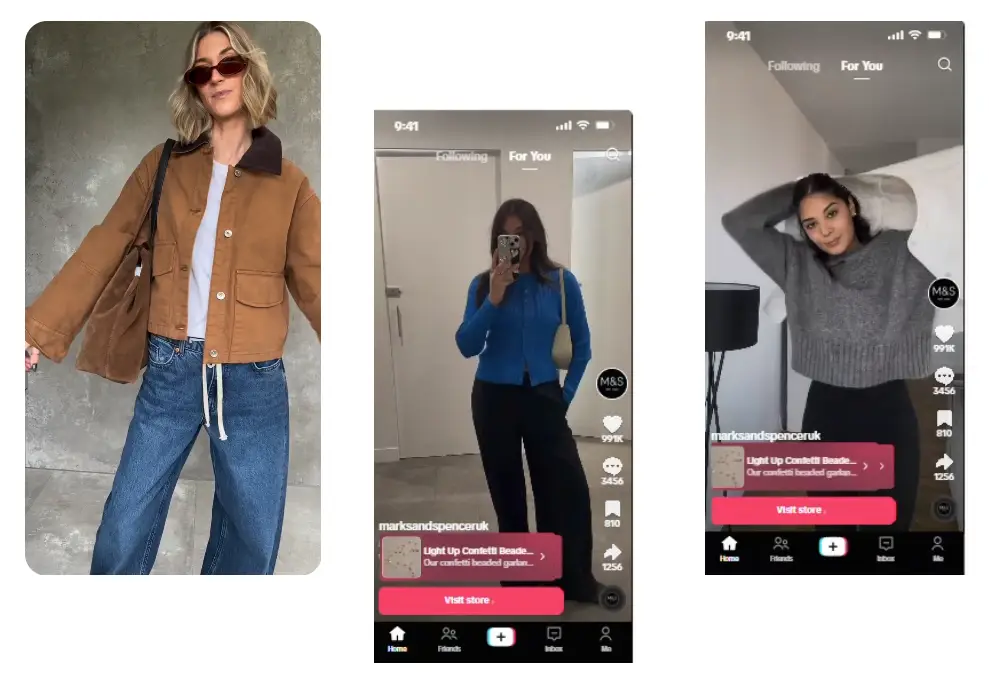
Take inspiration from Marks & Spencer’s Success Story. With a +44% CVR, -94% CPA, and -56% CPC. They are a prime example of a brand using TikTok ads for an eCommerce boost.
Every TikTok ad format for eCommerce, and when to use each
In-Feed Ads and Spark Ads
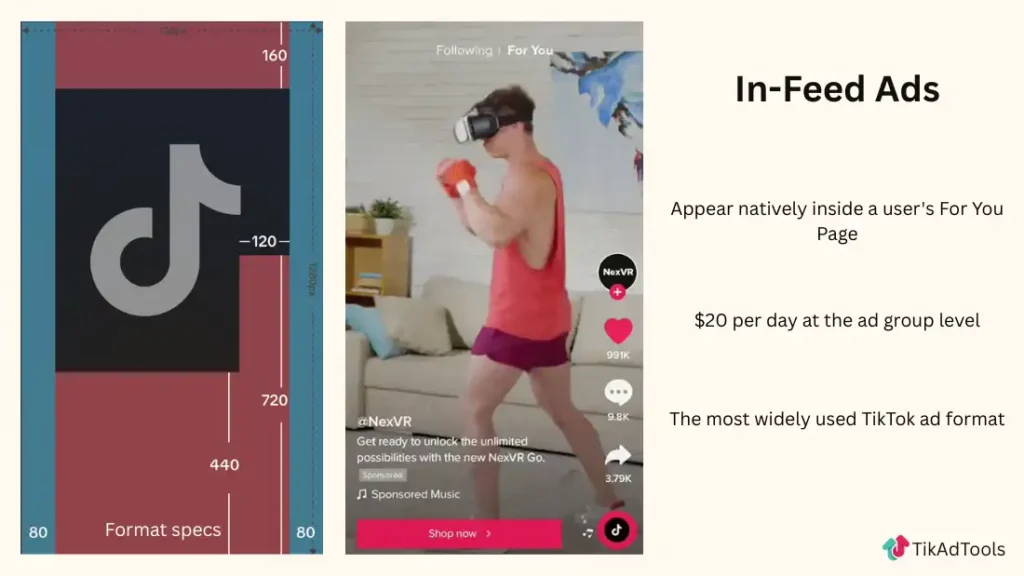
In-Feed Ads appear natively in the For You feed and are visually indistinguishable from organic content. A Product Card overlay lets users tap directly through to a product page or TikTok Shop listing without any friction.
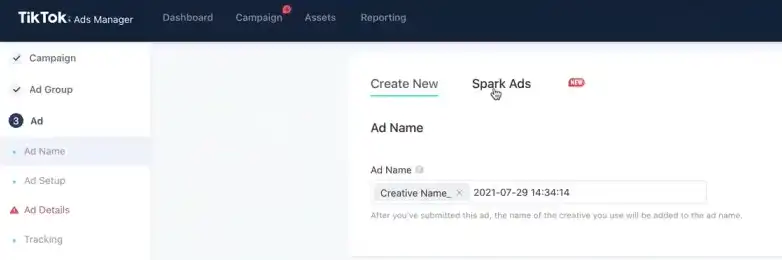
Spark Ads go further by letting you promote an existing organic post, from your brand or a creator, as a paid ad, with all of its original likes, comments, and shares still visible. That engagement history is social proof in a way no freshly created ad can match. According to TikTok for Business, Spark Ads generate a 134% higher completion rate and a 69% higher conversion rate compared to standard In-Feed Ads.
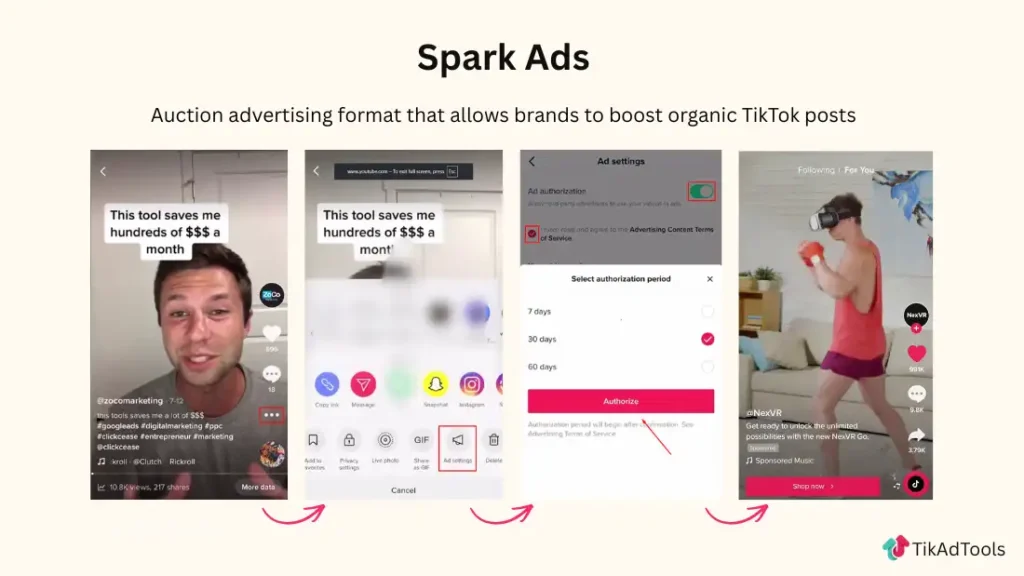
The practical rule: Use Spark Ads whenever a post is already gaining organic traction. You are paying to amplify something that has already proven it resonates, far more efficiently than betting on content that has not been tested yet.
Smart+ Campaigns
Smart+ is TikTok’s fully automated campaign format and has become one of the easiest ways to manage TikTok ads eCommerce campaigns at scale. It handles audience targeting, creative selection, and bidding using machine learning, and it works best when given room to operate.
In closed beta testing, Smart+ Catalog Ads delivered a 36% lower cost per acquisition than equivalent manual campaigns, per TikTok for Business.
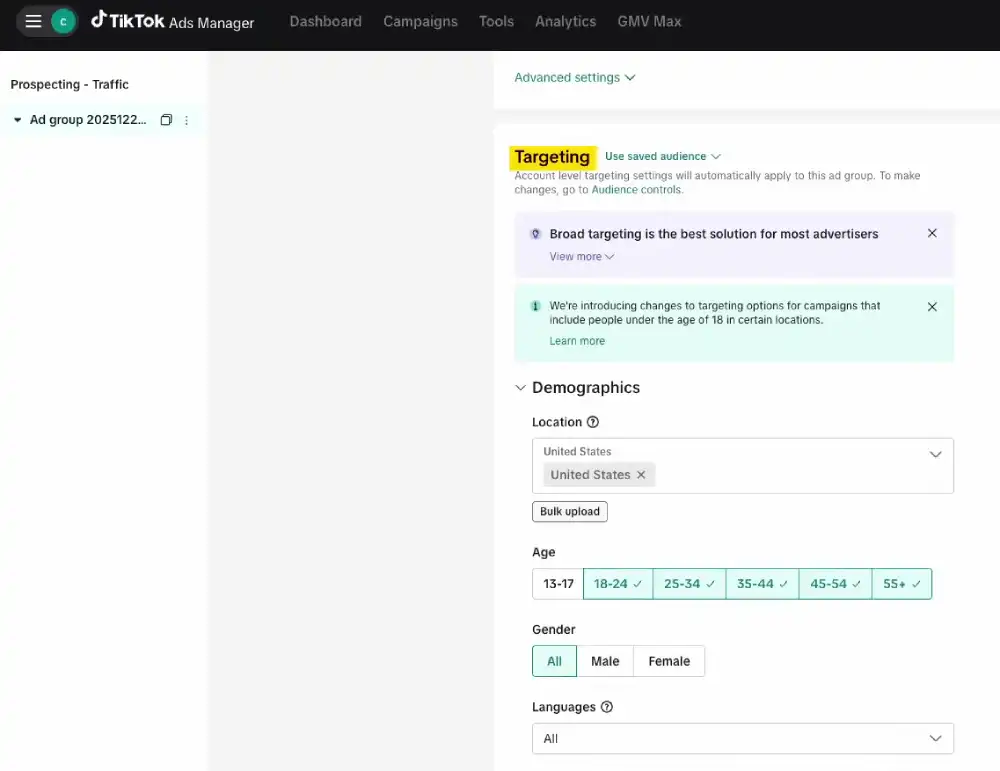
The critical requirement is broad targeting. Smart+’s edge comes from finding buyers outside the segments advertisers would have manually specified. Restricting the audience too early and you remove that advantage before it has a chance to work.
GMV Max
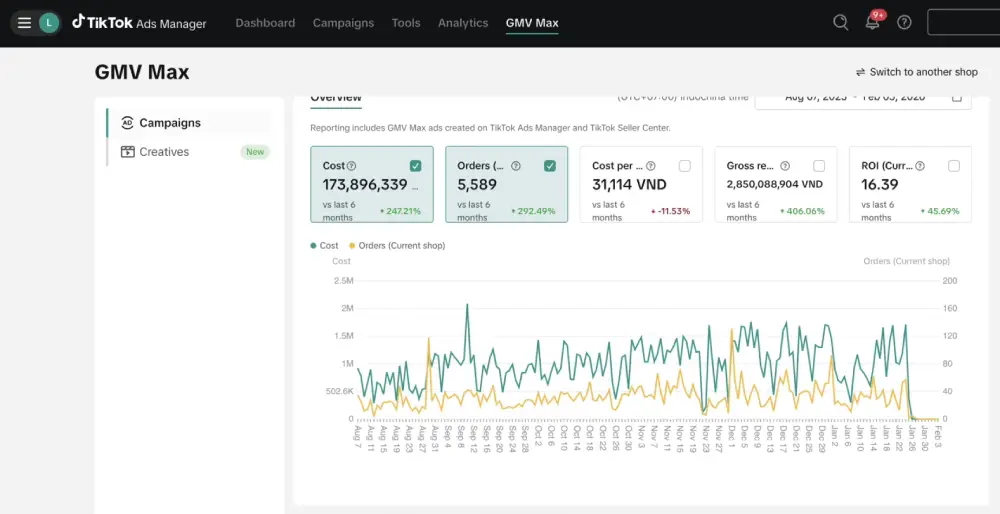
GMV Max optimizes for gross merchandise value rather than raw order count. For stores with a range of price points, it shifts the algorithm toward higher-value buyers rather than simply maximising transaction volume. It is worth switching to once you have established an ROAS baseline and want to improve revenue quality rather than quantity.
How to set up a TikTok Ads campaign for eCommerce
Run through this sequence in order. Jumping ahead, especially skipping the Pixel, turns your early budget into a learning tax with no payoff.
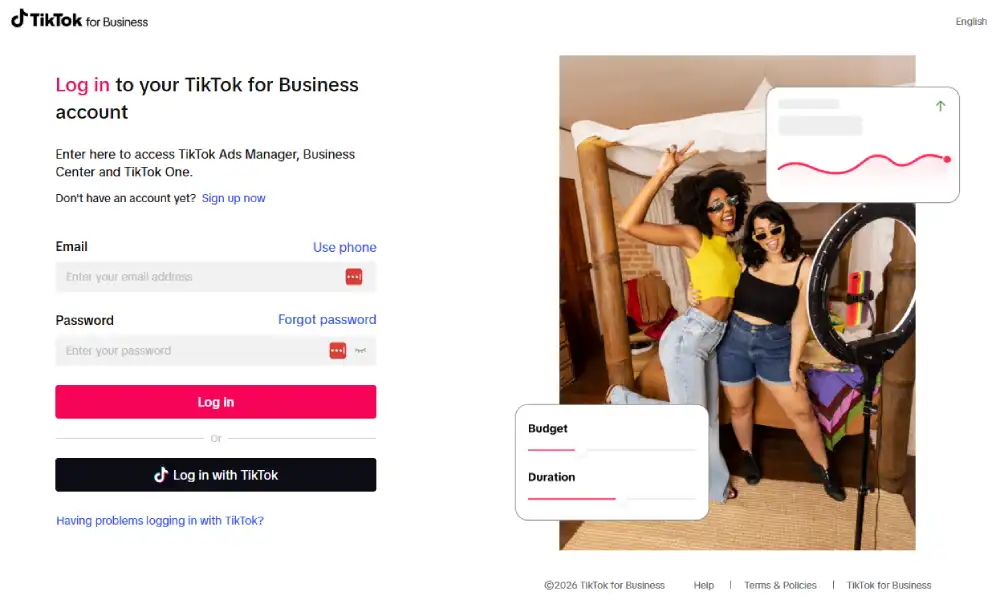
1. Create your Ads Manager account. Register at ads.tiktok.com with a business email and link your TikTok profile.
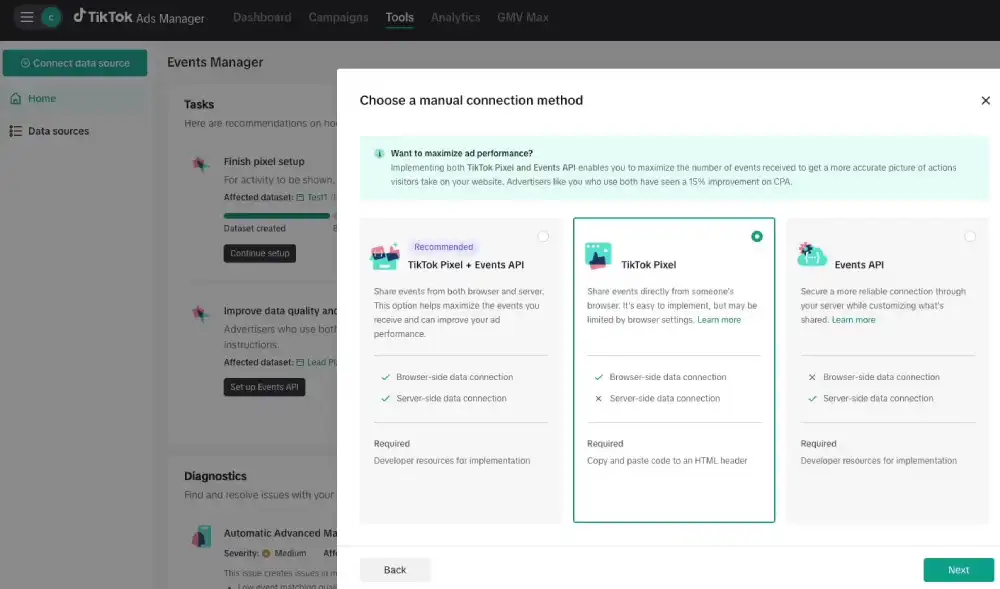
2. Install the Pixel before creating any campaigns. Every conversion campaign depends on this signal. More detailed information in the next section.
3. Create a new campaign. Choose Website Conversions or Catalog Sales for standard eCommerce. If you have a TikTok Shop, use Shop Purchases.
4. Configure your ad group. Limit placements to TikTok only while you are getting started. Use Automatic Targeting, particularly inside Smart+ campaigns. TikTok’s minimum is $50 per day at the campaign level and $20 per day per ad group. Go below either threshold, and the algorithm will not have enough event volume to optimize delivery.
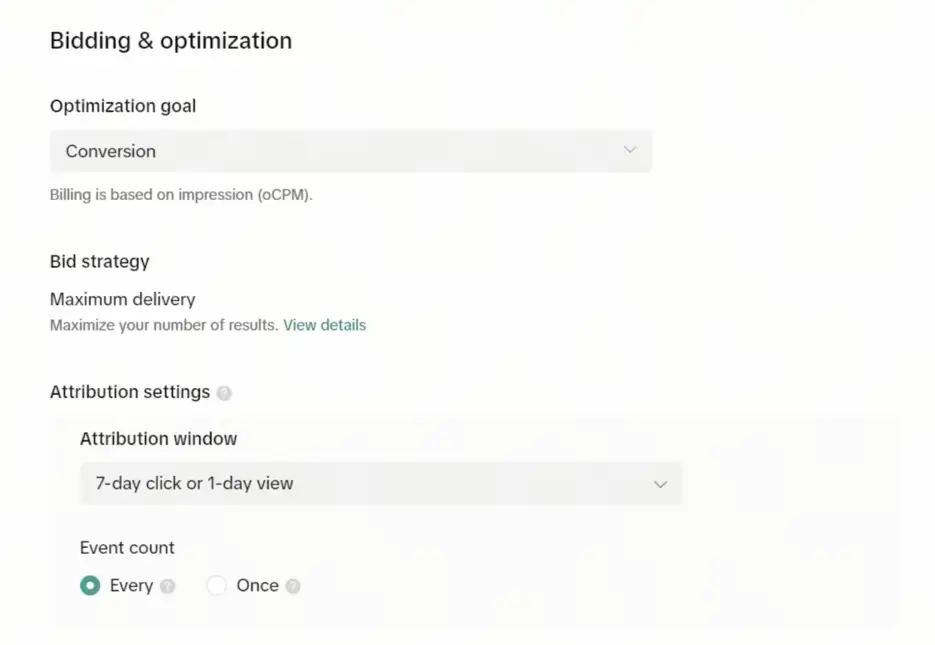
5. Choose your optimization event. If monthly purchases are below 50, start with Add to Cart. Switch to Complete Payment once volume is high enough to give the algorithm a reliable training signal.
6. Set your bid strategy. Lowest Cost works well until you have at least 30 days of data. Move to Cost Cap once you know your acceptable CPA.
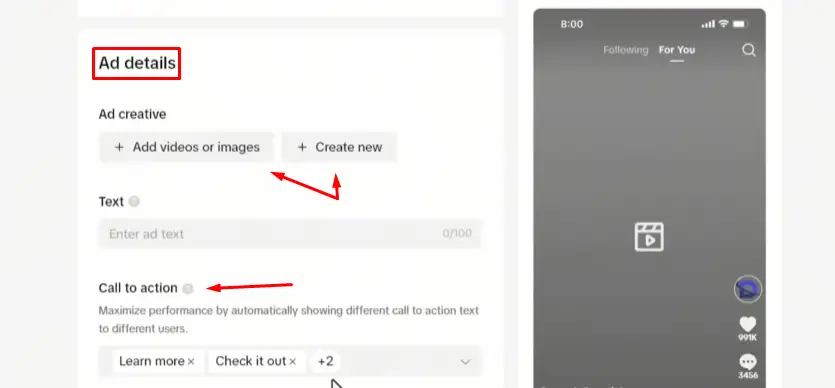
7. Upload your creative. Shoot in 9:16 vertical at 1080×1920 minimum. Keep all text and branding away from the bottom third of the frame, and the top 130 pixels; TikTok’s native UI covers both areas. If you’re new to TikTok ads, this guide on TikTok video specs for ads will walk you through everything step by step.
8. Give it time after launch. Resist making changes in the first three days. The algorithm needs to accumulate enough conversion data to exit the learning phase and stabilize delivery; interrupt that process, and you reset the clock.
TikTok Pixel and Events API: the setup that decides campaign performance
The TikTok Pixel records what users do on your website after clicking an ad. That behavioral data is what the algorithm uses to find more buyers. Without it, you are running conversion campaigns without a feedback loop.
Browser-based Pixel tracking alone is no longer adequate. Ad blockers, iOS privacy changes, and cookie restrictions all reduce what the browser can actually report.
TikTok for Business reports that advertisers running both the Pixel and the Events API capture 19% more conversion events and see a 15% improvement in CPA.
The Events API works server-side; it sends conversion data directly from your server to TikTok, bypassing browser restrictions entirely, which is why the accuracy improvement is so significant.
Run both together with deduplication enabled. The setup takes around 30 minutes and has the highest return on time of anything you will do in your TikTok account.
At a minimum, configure these three events:
- View Content fires when a user lands on a product page
- Add to Cart fires when they add a product
- Complete Payment fires when a purchase is confirmed
Shopify stores can use the one-click Pixel integration in TikTok Ads Manager. For other platforms, Google Tag Manager with TikTok’s tag template is the most straightforward option. Once installed, enable Automatic Advanced Matching and First-Party Cookies in your Pixel settings.
Here is a detailed step-by-step guide on how to install TikTok Pixel for eCommerce.
What makes TikTok ad creative actually work
Creative quality is the dominant variable in TikTok campaign performance. According to TikTok for Business research, it accounts for 50% of a campaign’s overall success, more than targeting, bidding strategy, or budget level.
The reason is how TikTok’s algorithm distributes content. Ads that behave like organic content get watched and earn cheaper delivery.
Ads that look produced get skipped early, which TikTok interprets as a quality signal and penalises with higher CPMs. Authenticity is not just a creative principle here; it directly affects your delivery costs.
In practice, this comes down to a few consistent patterns:
The hook has to work in three seconds. If a viewer does not stay past that mark, TikTok flags the video as low quality and charges accordingly. Open with something that creates immediate tension, a problem, a visible transformation, or an unexpected result. Do not ease in with branding.
Edit faster than feels comfortable. TikTok audiences are conditioned to rapid-cut video. Pacing that feels punchy on Instagram often reads as slow here. Aim for a cut every two to three seconds in the opening sequence.
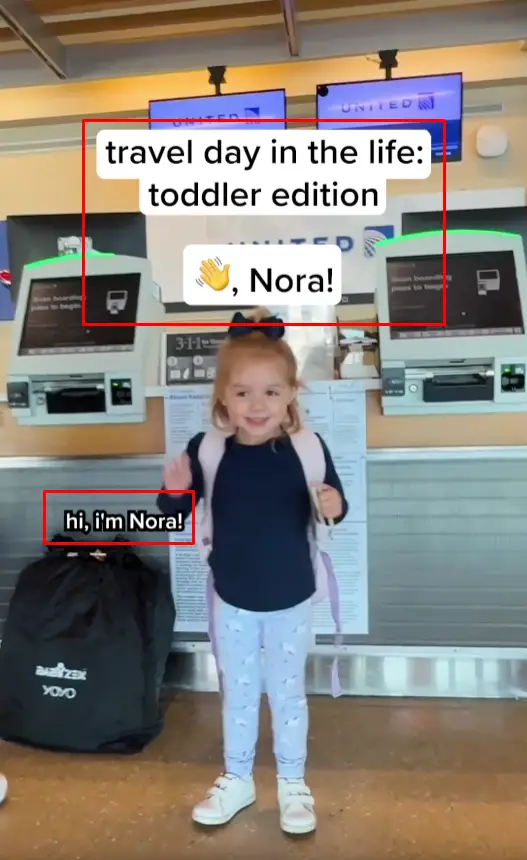
Write overlay text like a TikTok user, not a copywriter. Informal, direct, and native to the platform. As soon as the text looks designed, it signals an advertisement, and the scroll speed goes up.
Let the comment section sell. When Spark Ads run from a creator’s post, hundreds of genuine buyer reactions are visible below the video. That is more persuasive than any headline you could write, and it costs nothing extra.
Only use commercially licensed audio. Using copyrighted music risks account-level restrictions. TikTok Creative Center has a library of trending commercial audio filterable by niche and region.
Specs: 9:16 vertical, MP4 or MOV, 720p minimum (1080p recommended).
TikTok eCommerce Ads strategy that actually converts
High-performing TikTok eCommerce ads are built around content that feels native to the platform, not traditional advertising. The most successful eCommerce TikTok ads prioritize authentic product demonstrations over polished brand commercials.
The goal is to match how users naturally consume content while guiding them toward a purchase.
Here’s what that looks like in practice:
- Hook attention immediately: The first few seconds decide everything. Show the product, outcome, or a clear “why this matters” moment right away instead of easing into the video.
- Follow a clear content flow: Strong-performing ads usually move quickly from hook → product demonstration → call to action, keeping the video concise and focused.
- Use native, creator-style content: Ads that feel like user-generated content tend to perform better than polished, studio-style videos. Simple edits, text overlays, and natural delivery often work best.
- Use Spark Ads and TikTok Shop when possible: Promoting existing organic posts through Spark Ads can improve trust, while keeping checkout inside TikTok (via TikTok Shop) can reduce friction in the buying process.
- Show the product in action: Demonstrate how the product solves a real problem instead of relying on explanations. Visual proof is more effective than descriptive claims.
- Use retargeting to capture intent: With proper tracking setup, you can retarget users who viewed content or interacted with your ads, helping convert warmer audiences over time.
Over time, this approach aligns your ads with how TikTok actually works, making it easier to turn attention into conversions.
The creative testing framework that actually produces winning Ads
Using only two or three creative variations is not a test but a guess. Most advertisers who concluded that TikTok does not work for their products usually run fewer than five creatives. And they most likely had no strong hook, so they blamed the algorithm and quit within a week. Other brands that scale reliably treat creative like a pipeline, changing strategy often to get the best outcome.
If you want to write better hooks and understand what actually works, check this guide on TikTok ad hooks to improve your results.
Here is a four-week framework that produces real data:
Week one, test hooks only. Build 10 to 20 videos that each open differently. Keep the offer and call-to-action identical across all of them; the only variable is the first three seconds. The two or three versions with the highest three-second view rate move forward. To make this process easier, here is a free TikTok hook generator.
Week two, test offers. Take the surviving hooks and pair each with a different offer: free shipping, a percentage discount, a bundle, a time-limited deal. The hook-and-offer combination with the best click-through rate advances to week three.
Week three, test destinations. Apply the winning hook and offer to different CTAs and landing pages. Conversion rate is the only metric that matters at this stage.
Week four, scale and build the next batch. Increase the winning ad group’s budget by 20 to 30% every two to three days. Overnight budget jumps push campaigns back into the learning phase, so increase gradually. And start building new hook variations now, before performance shows any sign of slowing.
Creative fatigue on TikTok typically arrives within two to three weeks. The brands that maintain consistent performance treat the next creative cycle as something that is always already in progress, not something that starts when results drop.
Three signals worth watching throughout the process:
- Three-second view rate: 25% or above indicates a hook that genuinely stops the scroll
- Video completion rate: 40% or above means the content holds attention through to the CTA
- Click-through rate: the TikTok eCommerce industry average sits at 0.61%, per Lebesgue’s 2026 benchmark data
TikTok Ads cost benchmarks for eCommerce in 2026
| Metric | 2026 Benchmark |
|---|---|
| Average CPM (US eCommerce) | $6.00–$12.00 |
| Average CPC | $0.50–$1.50 |
| Conversion rate, standard campaigns | 0.46%–1.92% |
| Minimum daily budget, campaign level | $50 |
| Minimum daily budget, ad group level | $20 |
| Recommended first-month test budget | $1,500–$3,000 |
| Target ROAS for profitability | 3:1 or higher |
| Q4 CPM increase | 40–60% above baseline |
One note on CPM: creative quality directly affects what you pay. Whether you’re running TikTok ads for eCommerce or scaling a TikTok Shop campaign, stronger creatives usually reduce acquisition costs over time.
An ad with a 30% three-second view rate earns considerably cheaper delivery than an identically targeted ad running content that gets skipped. Good creative is a cost optimization tool, not just a conversion one.
For early-stage stores and dropshipping brands, the practical minimum is $50 per day per campaign. Splitting that across five ad groups at $10 each guarantees none of them will generate enough event volume to optimize. Start lean, one campaign, one or two ad groups, three to five creatives, and add complexity once you know what converts.
Want a deeper breakdown of TikTok ad costs and what actually drives them? See this complete guide on TikTok ad costs.
TikTok Shop Ads vs. website conversion campaigns: which to choose
| TikTok Shop Ads | Website Conversion Ads | |
|---|---|---|
| Checkout experience | Completes inside TikTok, no redirect | Sends buyer to an external browser |
| Conversion rate | Significantly higher, no drop-off at redirect | Lower, depends on landing page and tracking quality |
| Tracking | Clean native reporting | Requires Pixel and Events API setup |
| Landing page control | Limited to TikTok’s native layout | Full design and flow control |
| Best suited for | DTC brands, impulse-friendly products | High-AOV, subscription, or complex checkout flows |
The in-app checkout is the most significant conversion advantage TikTok Shop offers. Removing the browser redirect eliminates the drop-off that happens at the most critical moment in the funnel, and it requires no technical work beyond setting the shop up.
That said, website conversion campaigns remain the right choice for brands with high average order values, subscription products, or checkout flows that require information that TikTok’s native checkout cannot capture. A well-optimized landing page, paired with clean server-side tracking, can close most of the conversion gap.
Six mistakes that kill TikTok campaigns before they scale
Many eCommerce brands fail because they make avoidable setup and strategy mistakes, not because of the platform. These issues show up consistently across several accounts and can prevent a campaign from ever scaling.
Here is a list of the top 6 mistakes every eCommerce brand should avoid:
1. Budgeting below the threshold the algorithm needs. Ad groups running at minimal daily spend rarely generate enough conversion events for the algorithm to optimize delivery. The result is unpredictable costs and swinging ROAS, which looks like the platform not working, when the real cause is insufficient data volume.
2. Running a creative that looks like an advertisement. Produced brand videos with intros, motion graphics, and voiceover talent consistently underperform phone-shot creator clips on TikTok. This is not a style preference; it reflects how TikTok’s algorithm distributes content. Native-feeling creative earns lower CPMs and better watch time, which compounds across the life of a campaign.
3. Skipping the Events API. Browser-only tracking leaves a meaningful portion of your conversion data unreported. The algorithm optimizes behaviorally against an incomplete picture of your buyers, CPAs climb, targeting drifts, and the cause stays invisible in the dashboard. Adding server-side tracking resolves this, and the improvement in delivery quality shows up quickly.
4. Pausing campaigns in the first week. Three days of data is not enough to evaluate anything on TikTok. The algorithm is still in the learning phase, delivery is inherently unstable, and any decisions made at this point are based on noise. Give campaigns a minimum of seven full days before drawing any conclusions.
5. Restricting Smart+ targeting too aggressively. Smart+ is designed to find buyers beyond the segments you would have targeted manually. Layer on demographic and interest filters before the campaign has learned anything, and you remove that advantage from the start. Start broad, let it run, and narrow only if performance data justifies it.
6. Treating creative as a one-time project. TikTok creative fatigue arrives within two to three weeks. By the time you notice performance declining, the next batch of creative should already be in production, not still being briefed. The brands that maintain consistent performance think of creative production as an ongoing process rather than a deliverable.
If you want a broader framework, see this guide on TikTok ads best practices for eCommerce used by top-performing brands.
FAQs
What is the minimum budget to start TikTok ads in 2026?
TikTok’s daily minimums are $50 at the campaign level and $20 per ad group. A meaningful first test, though, requires more headroom, around $1,500 to $3,000 across the first month. That gives the algorithm enough time and events to exit the learning phase, and gives you enough creative variations to make an informed decision about whether the channel works for your product.
Are TikTok ads for eCommerce actually effective?
Yes, TikTok ads can be highly effective for eCommerce, especially for visually appealing and impulse-driven products. The platform’s discovery-based algorithm helps users find new brands, while formats like Spark Ads and TikTok Shop enable quick purchases. However, results depend heavily on creative quality, testing multiple variations, and a proper tracking setup. Based on industry benchmarks, conversion rates typically range from about 0.5% to 2%, but performance varies by product, audience, and execution.
How do I set up a TikTok Pixel on Shopify?
In TikTok Ads Manager, go to Assets → Events and create a new Web Event. Shopify users can use the one-click integration, which installs the Pixel automatically. After setup, enable Automatic Advanced Matching and first-party cookies. Then add the Events API, a server-side tracking layer that helps recover conversion data lost due to ad blockers and iOS privacy restrictions.
What TikTok ad format works best for dropshipping?
Spark Ads and UGC-style In-Feed Ads usually work best for dropshipping on TikTok. They feel native to the platform, build trust faster, and often generate higher engagement and conversions than polished brand-style ads. Short videos with strong hooks and product demonstrations tend to deliver the best ROAS.
What is a realistic ROAS target for TikTok eCommerce campaigns?
A realistic TikTok eCommerce ROAS target in 2026 is around 2:1 to 4:1 for most brands. New campaigns often start near 1.5x–2x, while strong-performing brands with optimized creatives and TikTok Shop can reach 4x–6x ROAS. Fashion and dropshipping stores usually see lower ROAS than beauty or repeat-purchase products.
How long does the TikTok ads learning phase last?
The TikTok ads learning phase typically lasts around 5–7 days in 2026, but it can end sooner if an ad group generates enough conversion data. TikTok generally recommends getting about 50 conversion events per week per ad group for stable optimization and exiting the learning phase faster. Major edits to budget, targeting, or creatives can reset the learning period.
Conclusion
TikTok ads are not complicated, but they do require the right inputs to work. Clean server-side tracking so the algorithm learns from your real buyers, native-feeling creative that earns lower CPMs and stronger engagement, a structured testing process that finds what converts rather than what looks good in a deck, and enough patience to let the learning phase run before concluding.
The campaigns that fail are almost always missing one of those inputs: a Pixel installed without the Events API, a creative that looks produced, budgets spread too thin across too many ad groups, or winning ads left running until fatigue sets in.
Getting these things right does not require a large team or an outsized budget. It requires a clear setup sequence, a genuine testing framework, and a willingness to let the algorithm do its job.
The eCommerce brands consistently scaling on TikTok in 2026 are not the ones spending the most. The best TikTok eCommerce ads combine accurate tracking, authentic creative, and continuous testing to produce sustainable growth. They are the ones who track accurately, create authentically, and iterate systematically until they find what actually converts.