
Use both together, not one or the other. Pairing Pixel with Events API and event deduplication is TikTok’s recommended setup for every web conversion campaign, because each one captures data the other misses.
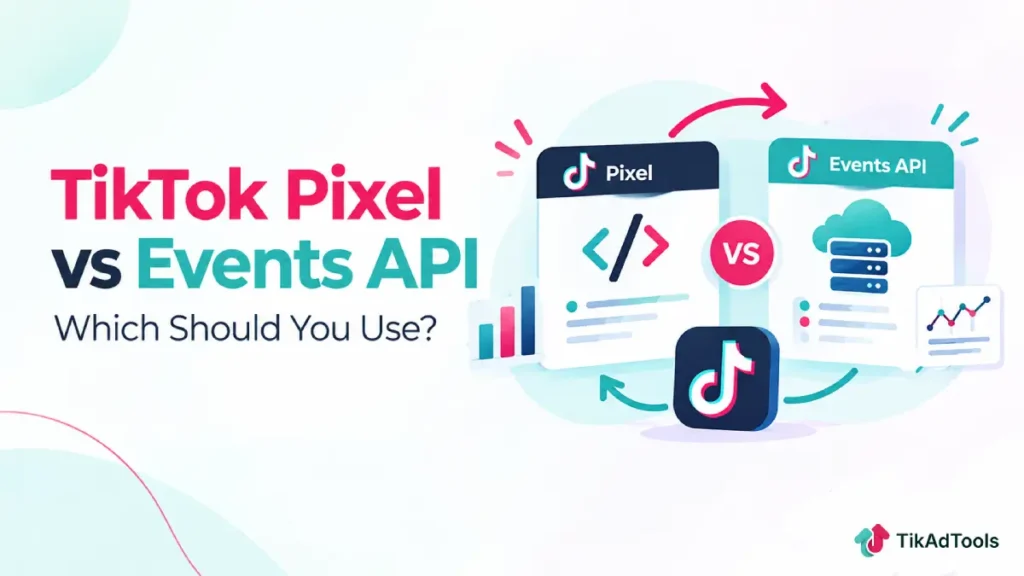
Pixel is browser-based, so it reads what a visitor’s browser is willing to share. Events API is server-to-server, so it reads what your own server already knows, regardless of ad blockers or browser restrictions.
This guide breaks down what each one actually does, where each falls short alone, and how to set up the combined approach TikTok itself recommends.
Table of Contents
Get Up to $6,000 in Free TikTok Ad Credits
TikTok offers ad credit incentives for new advertisers, helping you test campaigns with a lower upfront cost.
Key takeaways
- TikTok Pixel is a browser-side code snippet that shares website events with TikTok, confirmed in TikTok’s own Pixel documentation, last updated June 2026.
- TikTok Events API is a server-to-server connection that shares the same kinds of events directly from your server, across web, app, and offline channels, per TikTok’s own Events API documentation.
- TikTok explicitly recommends running both together with event deduplication, not choosing one, for every web conversion client.
- Browser restrictions and connectivity issues can prevent Pixel-only setups from reporting every real conversion. Events API exists specifically to recover that missing data.
- Pixel or Events API is a prerequisite for TikTok’s Web Conversions campaign objective, so at least one has to be running regardless of which combination you choose.
What TikTok Pixel actually does
TikTok Pixel is a piece of code placed on your website that shares visitor events with TikTok through the browser. It measures traffic, ad performance, and campaign optimization signals.
Once verified, Pixel shares information tied to specific standard events you configure: ViewContent, AddToCart, CompletePayment, and similar steps in a customer’s journey. Covering the full journey, not just the final purchase event, is what TikTok’s documentation recommends.
Pixel collects standard browser-available data: ad and event information, timestamps, IP address, user agent, and cookies. First-party cookies are optional; third-party cookies are on by default, and performance improves when both are paired with Advanced Matching.
TikAdTools’ Pixel Setup Helper walks through the actual installation and verification steps if you haven’t placed the Pixel yet.
What TikTok Events API actually does
TikTok Events API is a secure server-to-server interface that shares the same kinds of customer actions directly from your server, not through a visitor’s browser.
Events API captures conversions that connectivity issues or browser restrictions would otherwise cause Pixel to miss, per TikTok’s own documentation. It also connects web, app, and offline channels, in-store purchases and CRM data, through a single API rather than separate integrations for each.
TikAdTools’ full Conversion API guide covers the server-side setup itself in more depth than this comparison needs to.
The real difference between them
| TikTok Pixel | TikTok Events API | |
|---|---|---|
| Where it runs | Browser (client-side) | Your server (server-side) |
| Vulnerable to ad blockers/browser restrictions | Yes | No |
| Channels covered | Website only | Web, app, and offline |
| Setup | Code snippet on your site | Server-to-server integration |
| TikTok’s own recommendation | Run alongside Events API | Run alongside Pixel |
Neither column is “better” in isolation. Pixel is simpler to set up and captures rich browser-context data. Events API is more resilient but takes more technical work to implement correctly.
Why TikTok recommends running both together
Pixel-only setups under-report real conversions, per TikTok’s own documentation. Connectivity issues and browser inconsistency prevent some events from ever reaching TikTok through the browser alone.
Running Events API alongside Pixel closes that gap without removing what Pixel already does well.
The combined setup TikTok recommends has three parts:
- Connection type: run Pixel and Events API together with event deduplication, so the same real-world conversion doesn’t get counted twice when both paths report it.
- Consistent events: make sure the same events and parameters are shared across both Pixel and Events API throughout the customer journey, not just on one path.
- Match keys: pass all relevant match keys, Click ID, hashed email and phone, External ID, IP address, and User Agent, to improve how confidently TikTok matches an event to a real person.
Setting up event deduplication
Deduplication works by sending the same unique event ID from both Pixel and Events API for the same real conversion. TikTok recognizes the matching ID and counts it once, not twice.
Without deduplication, running both paths at once inflates your reported conversions, since the same purchase can be logged from the browser and from your server as two separate events.
TikAdTools’ guide to TikTok’s attribution model covers how these duplicated events would otherwise distort what gets credited to a campaign.
Match keys that improve both paths
Five categories of match keys are worth passing, per TikTok’s Events API setup guidance: Click ID, hashed email and phone (Advanced Matching), External ID, IP address and User Agent, and the first-party cookie value when Pixel is also active.
IP address and User Agent are shared automatically by Pixel but need manual configuration for Events API, a detail worth checking directly if your Events API setup seems to be under-matching.
How well those match keys are working shows up in TikTok Events Manager as an Event Match Quality (EMQ) score, a weighted average of your match key coverage across events.
TikTok doesn’t publish a universal target number, so treat EMQ as a relative signal: a lower score than your own recent baseline usually means a match key stopped passing correctly, not that a fixed threshold was crossed.
Do you need a developer to set this up?
Events API on its own is typically a developer task, since it requires a server-to-server integration built against TikTok’s API. That’s the main reason some businesses run Pixel alone despite the coverage gap.
TikTok’s Events API Gateway is built for exactly this gap. It creates the server-to-server connection for you, links to your existing Pixel, and applies the same deduplication logic automatically, without custom development. It’s aimed at businesses and agencies managing multiple ad accounts that want the resilience of Events API without a dedicated engineering build.
Common mistakes to avoid
Treating this as an either-or decision is the most common mistake. Pixel and Events API are complementary layers of the same measurement setup, not competing options, per TikTok’s guidance for web conversion clients.
Skipping event deduplication when running both is a close second. Without a shared event ID, the same conversion gets double-counted, which distorts your reported ROAS. TikAdTools’ guide to TikTok’s core ad metrics explains what a reliable ROAS number should actually look like before you assume a metric is broken.
Sending inconsistent events across the two paths undermines the whole setup. If Pixel tracks a purchase event that Events API doesn’t also send (or sends with different parameters), TikTok’s picture of your funnel stays incomplete regardless of which method captured it.
Frequently asked questions
Should I use TikTok Pixel or Events API for my website?
Use both. Running Pixel and Events API together with event deduplication is TikTok’s recommended setup for every web conversion client, since each one captures conversions the other can miss.
Can Events API replace TikTok Pixel entirely?
Technically, yes, either one alone satisfies the prerequisite for TikTok’s Web Conversions objective. In practice, running both together is the better approach, since Pixel still contributes browser-context data that Events API doesn’t independently collect, and TikTok’s own guidance is built around the pair rather than either one alone.
Do I need a developer to set up Events API?
For a direct integration, generally yes, since it’s a server-to-server connection built against TikTok’s API. TikTok’s Events API Gateway removes that requirement by handling the server-side connection and deduplication for you, which is worth checking before assuming Events API is out of reach without engineering help.
Why does TikTok recommend running Pixel and Events API together instead of just one?
Because they fail differently. Pixel misses events blocked by ad blockers, browser privacy settings, or connectivity issues. Events API doesn’t have that weakness, but running it alone loses the rich browser-side context Pixel captures by default.
What is event deduplication and why does it matter?
Event deduplication uses a shared event ID to make sure the same real conversion, reported by both Pixel and Events API, gets counted once instead of twice. Skipping it inflates your conversion numbers and can distort optimization and ROAS reporting.
Which match keys matter most for Events API?
Click ID, hashed email and phone, External ID, IP address, and User Agent are the key match signals TikTok’s setup guidance names. IP address and User Agent are automatic with Pixel but require manual setup with Events API specifically. Coverage across these keys is what determines your Event Match Quality (EMQ) score in Events Manager.
Conclusion
Pixel and Events API aren’t rival tracking methods, they’re two halves of the setup TikTok itself recommends. Pixel reads what the browser is willing to share; Events API reads what your server already knows regardless of browser restrictions.
Run both, deduplicate with a shared event ID, keep events consistent across both paths, and pass the full set of match keys. That combination is what TikTok’s own documentation points to as the standard for reliable web conversion tracking.
Sources