
Getting your TikTok ad rejected wastes time, kills momentum, and can put your entire account at risk if it keeps happening.
You built the creative, set the budget, and hit submit. Then you get a “Disapproved” notice with a vague policy reference that does not tell you what you actually did wrong. That is one of the most frustrating moments in paid advertising, and it happens more than you might expect.
Get Up to $6,000 in Free TikTok Ad Credits
TikTok offers ad credit incentives for new advertisers, helping you test campaigns with a lower upfront cost.
Up to 40% of new ads face initial rejection due to stricter AI content rules and heightened compliance standards. That means nearly half of all first-time submissions get blocked before a single person sees them.
This article covers exactly what triggers a TikTok ad violation, how the platform’s detection system works, the difference between a rejected ad and a suspended account, and the right way to fix or appeal each one. You will also find a prevention checklist to help you stop violations before they start.
Table of Contents
What Is a TikTok Ad Violation?
A TikTok ad violation occurs when your paid creative, landing page, or account behavior breaks one or more of TikTok’s Advertising Policies. Violations can result in a single ad being rejected, delivery being limited, or, in repeated cases, your account being suspended. The severity depends on the type of rule broken, whether it is a first offense, and the industry your ad operates in.
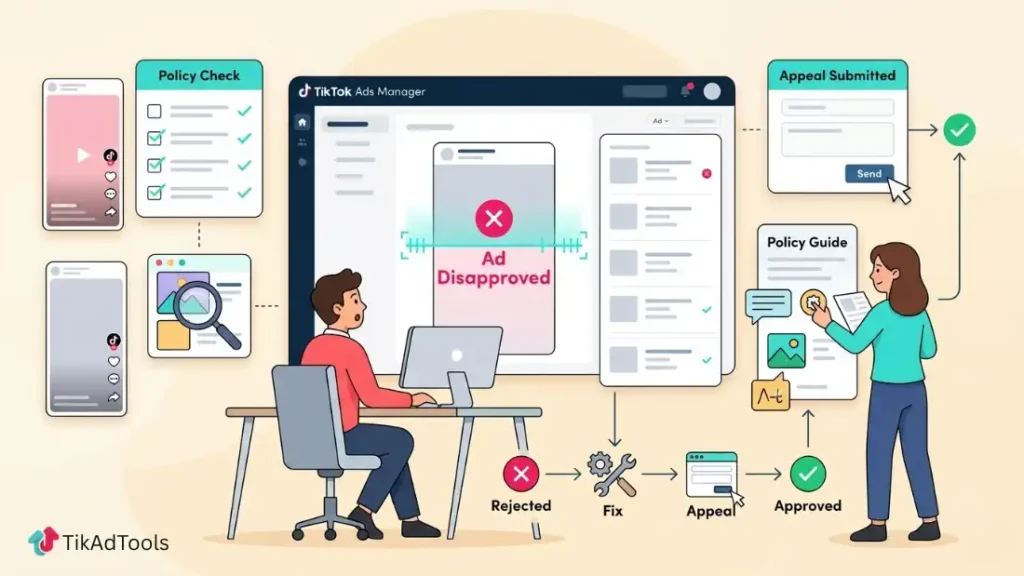
How TikTok Detects Ad Violations: And Why False Positives Happen
TikTok uses a two-layer review system, and understanding how it works explains why even compliant ads sometimes get blocked.
The first layer is automated. TikTok’s AI scans every ad submission for content signals: visual patterns, audio elements, ad copy, and landing page data. According to SQ Magazine’s February 2026 TikTok Statistics Report, TikTok’s content moderation AI operates at 98.1% accuracy across the platform. For ads, this automated system acts as the initial gate before any human reviews your creative.
The second layer is human. According to Neowork’s content moderation breakdown, TikTok employs over 40,000 human moderators who review content that the automated system cannot clearly classify. These moderators assess context, intent, and nuance, which the AI cannot always do reliably.
Here is where false positives come in. The automated system is trained to flag patterns, not intent. If your creative uses language or imagery that resembles prohibited content, even in a technically compliant way, it can trigger a rejection. This is especially common in health, finance, and beauty categories.
What the three key statuses mean:
- Pending: Your ad is in the review queue. Standard review takes up to 24 hours. Verified agency accounts may see approval in under 60 minutes.
- Limited Delivery: Your ad passed review, but TikTok is restricting its reach, usually due to targeting, creative quality, or a soft policy signal that did not trigger a full rejection.
- Disapproved: Your ad violated at least one advertising policy. You will receive a notification in Ads Manager with the specific policy reference.
If you see “Disapproved,” do not resubmit the same ad immediately. Read the rejection reason first. Resubmitting without changes often results in a faster secondary rejection and flags your account for pattern review.
The 8 Most Common TikTok Ad Violation Causes in 2026
These are the specific triggers we consistently see behind rejected ads. Each one has a clear fix, which we cover in the next section.
1. Misleading or Exaggerated Claims
This is the single most common rejection reason across all ad categories. TikTok prohibits claims that cannot be substantiated, including income guarantees, unrealistic weight loss results, and absolute language like “100% effective” or “clinically proven” without documented evidence. If your copy makes a bold promise, it needs verifiable proof behind it.
2. Landing Page Mismatch
Your ad and your landing page must match. If your ad promotes a specific product at a specific price, your landing page must reflect exactly that. TikTok’s web crawler actively verifies landing page consistency as part of the review process. Redirects to unrelated pages, broken URLs, and geo-restricted pages all trigger automatic rejection.
3. Prohibited Products or Services
TikTok maintains a global list of prohibited categories. These include tobacco, firearms, certain supplements, payday loans, and adult content. Some categories are not prohibited but are restricted, meaning they require prior authorization or can only target specific age groups and regions. Running a prohibited product without checking this list first is an avoidable mistake.
4. Intellectual Property and Copyright Violations
Using copyrighted music, brand logos, celebrity images, or third-party trademarks without permission violates TikTok’s IP policies. This applies to background music in your creative, brand names in your ad copy, and any visual content you do not own the rights to. TikTok’s system cross-checks audio and visual elements against its IP database during review.
5. AI-Generated Content Without Disclosure
This is the fastest-growing violation category in 2026. TikTok updated its Advertising Policies in January 2026 to require a mandatory “AI Disclosure” tag in Ads Manager for any creative that includes AI-generated visuals, voiceovers, or synthetic spokespeople. Ads detected to contain AI content without this tag face immediate rejection and trigger an account review.TikTok’s official ad policy states that if AI-generated content is identified without disclosure, your ad will be rejected or restricted. TikTok’s detection system scans for C2PA metadata from tools like DALL-E, Midjourney, and Adobe Firefly, achieving 94.7% accuracy on synthetic face detection.
6. Low Creative Quality
TikTok enforces minimum quality standards for all ad creatives. Your video must meet a minimum resolution of 540x960px for vertical (9:16) ads, with 720x1280px as the recommended standard for sharp, professional output. Blurry footage, excessive on-screen text, distracting overlays, and gimmicky fonts in ad copy all create compliance flags. Poorly edited audio or significant background noise can also trigger a quality-based rejection. This is not about aesthetics. It is about meeting a technical baseline.
7. Before-and-After Imagery
Before-and-after images are heavily restricted on TikTok, particularly in health, wellness, fitness, and beauty categories. Even when the transformation is real and substantiated, this format is often flagged because it implies a guaranteed result. If your creative relies on visual comparison to demonstrate effectiveness, restructure it around testimonials or product demonstrations instead.
8. Policy-Sensitive Industry Categories
Finance, healthcare, alcohol, gambling, and political advertising all operate under additional rules beyond TikTok’s standard policies. Advertisers in these categories must often obtain prior category authorization through TikTok’s approval process before any ads can run. Running ads in these categories without pre-approval is an automatic violation, regardless of how compliant your creative is.
TikTok Ad Violation vs. Account Suspension: What’s the Difference?
These two outcomes are not the same, and they require completely different responses. Confusing them is one of the most expensive mistakes you can make.
A TikTok ad violation at the ad level means a single creative or campaign was rejected. Your account remains active. You can edit the ad, address the specific policy issue, and resubmit. This is the most common scenario and the most recoverable.
Account suspension is a separate, more serious enforcement action. It occurs when TikTok’s system detects a pattern of violations, severe policy breaches, or significant account behavior that violates the platform’s advertising guidelines. When your account is suspended, all active ads stop running immediately, and you lose access to Ads Manager.
Here are the two critical deadlines most advertisers miss, per TikTok’s official Account Suspensions Help page:
First, you have 30 days from the date of suspension to either resolve the policy issues or file an appeal. If the issues remain unresolved or your appeal is rejected, after those 30 days, the suspension becomes permanent. This is the deadline that matters most.
Second, you have 180 days to submit the initial appeal to TikTok Customer Support through Ads Manager. If you miss the 180-day window, your appeal will not be reviewed, and the suspension stands permanently. Do not confuse this outer deadline with the 30-day resolution window.
What triggers account-level suspension, not just ad rejection:
- Multiple repeated violations in the same campaign cycle
- Running ads for prohibited products after a previous warning
- Circumventing a previous account ban by opening a new account
- Fraudulent billing behavior or suspicious payment patterns
- Severe violations involving regulated or harmful content
If you receive a suspension notice, stop any attempts to create new ad accounts. Focus entirely on the appeal process within your 30-day window.
How to Fix a TikTok Ad Violation: Step-by-Step
When your ad is rejected, here is the exact process to get it resolved as quickly as possible.
1. Go to your TikTok Ads Manager Campaign tab. Locate your Ad or Ad Group list. Hover over the status indicator showing “Review not approved” next to the rejected ad. A dropdown will appear. Click “View More” to open the rejection details and surface the Suggestions module. This is where TikTok shows the specific policy reference that triggered the rejection.
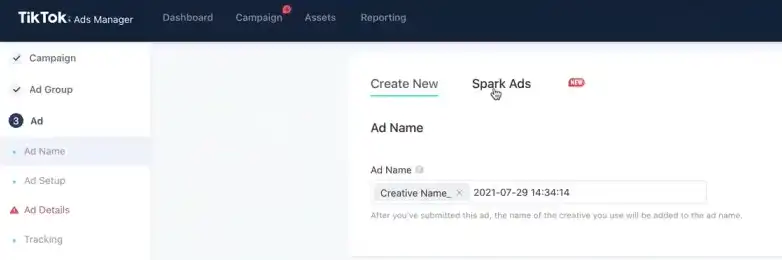
2. Read the rejection reason in full. TikTok provides a policy reference and a brief explanation inside the Suggestions module. Do not guess what the problem is. Match the reference to TikTok’s Advertising Policies documentation to understand exactly what needs to change before you touch anything.
3. Edit the creative, copy, or landing page based only on the specific rejection reason. Do not change elements that were not flagged. Changing unrelated parts of your ad does not speed up re-review and can introduce new issues into a fresh review cycle.
4. For landing page issues, fix the specific element flagged: broken links, missing product details, geo-restrictions, or inconsistency between the ad content and page content. TikTok’s crawler re-checks the page during the next review cycle when you resubmit.
5. Save your edits. Once saved, TikTok automatically queues the ad for re-review. You do not need to manually resubmit. Standard review takes up to 24 hours. You will receive a notification once a decision is made.
6. If the ad is rejected a second time for the same reason, stop editing and choose one of two paths. First, use the One-Click Appeal if you believe TikTok made an error and your ad is compliant. Second, submit an Advertiser Support ticket and request a formal re-review. You can access this from the bottom-right Help icon inside Ads Manager. Both options route your case to a human reviewer. Do not keep resubmitting the same creative without taking one of these steps, as repeated resubmissions without action can delay your case.
How to Appeal a TikTok Ad Rejection the Right Way
An appeal is not the same as a fix. You use the fix process when you agree with the rejection and need to correct something. You file an appeal when you believe TikTok made an error and your ad was wrongly flagged.
Step 1: Locate the appeal option. In Ads Manager, go to the disapproved ad and look for the “Appeal” or “One-Click Appeal” option next to the review status. This is available for most rejection types, but not all.
Step 2: Submit only one appeal. TikTok allows one appeal per rejected ad. Filing a second appeal on the same ad before receiving a decision delays the review and can result in the appeal being dismissed entirely. Submit once, then wait.
Step 3: Write a specific appeal note in the notes field. Do not write a general complaint. Reference the specific policy TikTok cited, explain why your ad complies with that policy, and provide any supporting evidence.
For example: if your health product ad was rejected for unsubstantiated claims, attach documentation of the specific claims made in the creative.
Step 4: Wait for the review outcome. According to TikTok’s official troubleshooting guide, TikTok’s stated turnaround for ad-level appeals is two business days (typically 24 to 48 hours on standard business days). You will receive an in-app notification and email once a decision is made.
If the appeal fails: You have two options. First, make the necessary changes and resubmit a new, edited version of the ad rather than appealing again. Second, contact TikTok Business Support directly if you believe the rejection conflicts with TikTok’s own published policies. Keep all communication documented in case the issue escalates.
How to Prevent TikTok Ad Violations Before You Submit
The most efficient way to handle a TikTok ad violation is to stop it from happening in the first place. These are the checks we recommend running before every submission.
Use TikTok’s Video Pre-Check tool. This is available inside Ads Manager before you submit. It scans your video creative for common policy flags, including quality issues, prohibited content signals, and format errors. Running this check takes less than two minutes and can catch problems that would otherwise delay your campaign by 24 hours or more.
Run Smart Fix as a pre-submission check, not just a post-rejection fix. You can use Smart Fix proactively to scan your creative for known issues before the formal review begins. This is especially useful for creatives in restricted categories.
Apply this landing page compliance checklist before every campaign:
- The URL loads fully without redirects or errors
- The product shown in the ad is visible and purchasable on the page
- Pricing in the ad matches the pricing on the page
- No geo-restrictions block TikTok’s crawler from accessing the page
- Contact information and a privacy policy are visible on the page
- If the ad uses an AI-generated spokesperson, the landing page carries a matching AI disclosure
Structure health, finance, and beauty claims carefully. For health claims, avoid absolute language. Use “may support” instead of “will cure.” For finance claims, include required disclosures based on your jurisdiction. For beauty claims, replace before-and-after imagery with demonstration-style content that shows the product in use rather than promising a specific outcome.
Apply TikTok’s AI disclosure tag to every ad that contains AI-generated content. Do not wait for the automated system to detect it. Per TikTok’s official advertising policy, proactive AIGC labeling prevents both immediate rejection and the account review process from undisclosed AI detection triggers.
Explore these helpful articles next:
👉 TikTok Ads for Baby & Kids Products: Strategies & Examples
👉 TikTok Dynamic Showcase Ads: eCommerce Personalization
👉 TikTok Ad Copywriting Techniques for Instant Attention
👉 TikTok Ads Strategy for High-Ticket Products in New Year Sale
Frequently Asked Questions About TikTok Ad Violations
Why did TikTok reject my ad?
TikTok rejects ads that violate its Advertising Policies, which cover prohibited products, misleading claims, landing page issues, creative quality standards, and missing disclosures. You can find the specific rejection reason in the “Suggestions” module next to your disapproved ad in Ads Manager. In 2026, one of the most common new rejection triggers is AI-generated content submitted without the mandatory AIGC disclosure tag.
How do I appeal a TikTok ad violation?
Go to the disapproved ad in TikTok Ads Manager, locate the “Appeal” option next to the review status, and submit your appeal with a specific explanation referencing the policy cited. You can only file one appeal per rejected ad, so include all relevant context and evidence in a single submission. TikTok’s standard turnaround for ad-level appeals is two business days.
What happens if I get too many TikTok ad violations?
Repeated violations escalate from ad-level rejections to account-level suspension. When your account is suspended, all active ads stop running immediately, and you lose Ads Manager access. For first-time suspensions, you have 30 days to resolve the issues or your appeal, or the suspension becomes permanent. You also have up to 180 days to file the initial appeal ticket with TikTok Customer Support.
Can a TikTok ad violation get my account permanently banned?
Yes, but only in specific circumstances. A single ad rejection does not trigger a ban. Repeated violations, running prohibited products after prior warnings, or attempting to circumvent a previous suspension with a new account can result in permanent account termination. Maintaining a clean violation history and addressing rejections immediately reduces your risk significantly.
What is the difference between a TikTok ad rejection and a limited delivery status?
A rejection means your ad broke a specific policy and cannot run until the issue is resolved. Limited delivery means your ad passed review, but TikTok is restricting how widely it shows, often due to targeting parameters, creative quality signals, or soft policy flags that did not rise to the level of a full rejection. Rejections require edits or appeals, while limited delivery usually requires creative or targeting adjustments.
Do Spark Ads have different violation rules than regular In-Feed Ads?
Yes. Spark Ads boost existing organic TikTok posts, so they must comply with both the Community Guidelines that govern organic content and TikTok’s Advertising Policies that apply to paid promotions. In-Feed Ads are created entirely within Ads Manager and only need to meet the Advertising Policies. This means a Spark Ad can be rejected for content that would pass review as an In-Feed Ad, particularly around third-party content permissions, music licensing, and creator authorization.
Conclusion
A TikTok ad violation is not a dead end. It is a specific signal that something in your creative, landing page, or account behavior crossed a policy line, and almost every one of those problems has a clear resolution path.
We covered how TikTok’s two-layer review system works, why false positives happen, and what each ad status actually means. You now know the eight most common violation causes in 2026, how to distinguish between an ad-level rejection and a full account suspension, and the exact step-by-step process for fixing and appealing each one. The prevention section gives you a repeatable pre-submission checklist you can apply to every future campaign.
The advertisers who consistently avoid violations are not the ones with the biggest budgets. They are the ones who read the rejection notice carefully, act on it precisely, and treat the pre-submission check as a non-negotiable part of their workflow. Start there, and you will spend far less time dealing with disapprovals.