
You opened Seller Center, and your best-selling product is greyed out. Status: Frozen. Or maybe it’s stuck in “Under Review” three days after you uploaded it. Either way, sales stopped, and your ads are spending on a product nobody can buy.
This isn’t random. TikTok Shop runs every listing through automated risk scoring, and 2026 enforcement is stricter than it’s ever been.
In 2026, reviews are driven by AI risk scoring, supported by manual audits for flagged listings. Let’s get your product unstuck.
Table of Contents
Get Up to $6,000 in Free TikTok Ad Credits
TikTok offers ad credit incentives for new advertisers, helping you test campaigns with a lower upfront cost.
TL;DR
- “Under Review” is a routine check; “Frozen” means TikTok found a higher-risk problem that needs your action.
- The most common freeze triggers are category mismatches, claim violations, and verification gaps.
- TikTok Shop rolled out a new Product Listing Policy on June 2, 2026, so listings that passed last month can get flagged now.
- Editing a product mid-review restarts the review clock, so don’t touch it unless you’re fixing the actual flag.
- Most appeals get reviewed within a few business days if your evidence is clean.
Quick Answer
A TikTok Shop product gets frozen or placed under review when TikTok’s automated system flags it for a possible policy issue, like a wrong category, a banned claim, or mismatched seller verification. Under Review pauses sales while the system checks compliance. Frozen means a problem was identified and the listing stays blocked until you fix it or win an appeal.
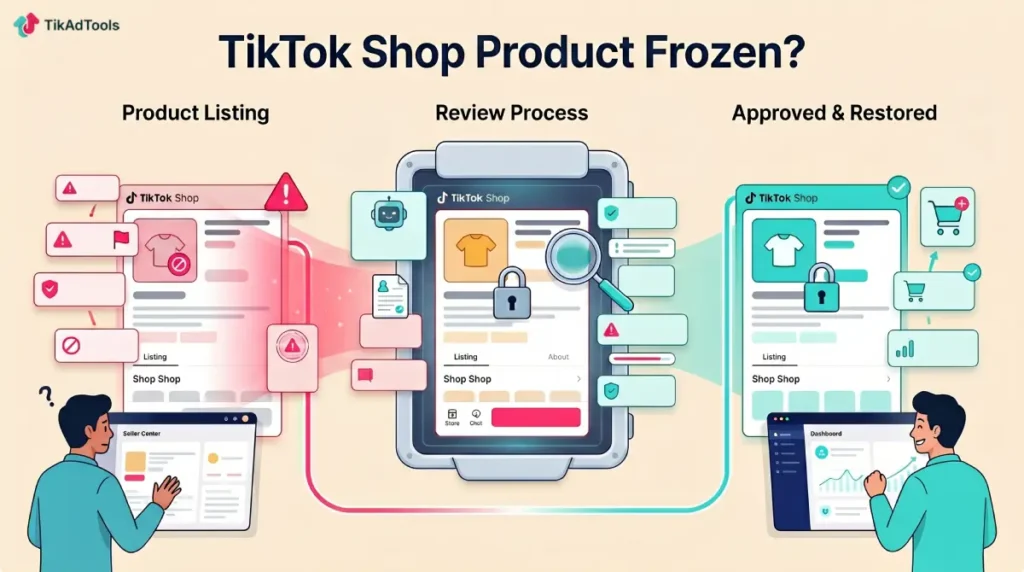
Under review vs frozen: they’re not the same problem
These two statuses get treated like the same emergency. They’re not.
Under Review is procedural. The product is actively being evaluated by TikTok’s automated systems or a manual reviewer; sales are paused, but no violation has been confirmed.
New listings, edited listings, and anything entering a regulated category hit this state by default.
Frozen is the serious one. TikTok found a higher-risk issue and blocked the product from sale until you take corrective action or an appeal goes through.
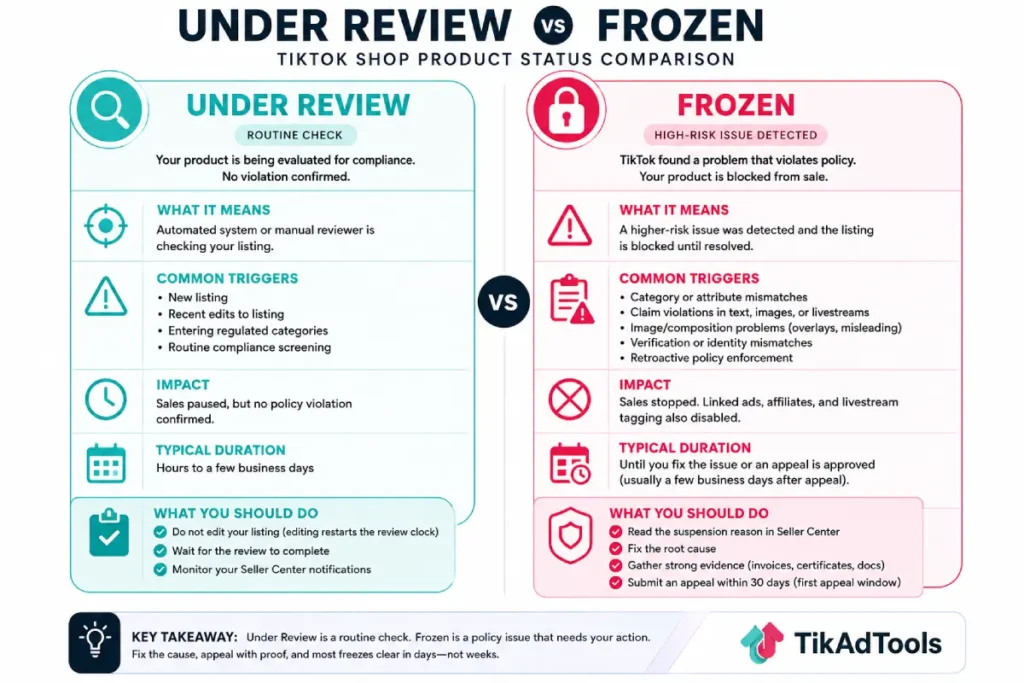
A review often clears itself. A freeze almost never does without you doing something.
The real reasons your products get flagged
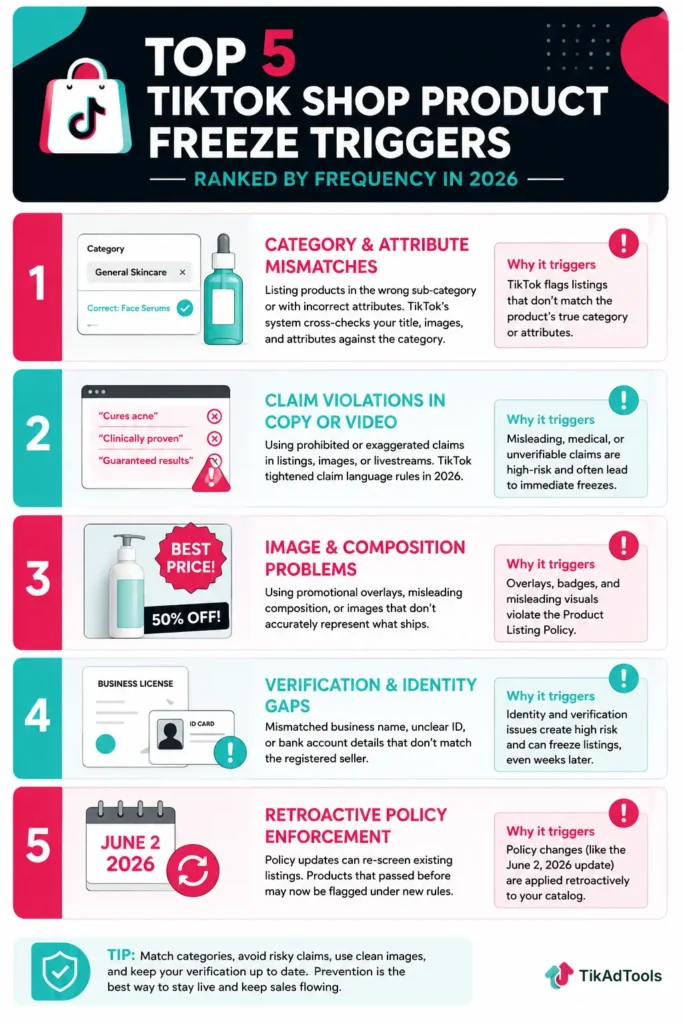
Most freezes trace back to a handful of triggers. Here are the ones that catch sellers most often.
Category and attribute mismatches
This is the big one. Listing a product in the wrong sub-category, often to dodge a fee or a restriction, is a top trigger in 2026.
The system cross-checks your title, images, and attributes against the category you picked. When they don’t line up, it flags.
A face serum filed under “general skincare” instead of a regulated beauty sub-category will get pulled fast.
Pick the category that actually matches the product, even when a different one looks cheaper, since picking a cheaper category is rarely worth the freeze risk. TikTok Shop Fees Explained covers the real category-by-category rate schedule if fee avoidance is what’s tempting the mismatch.
Claim violations in your copy or video
TikTok tightened claim language hard this year. TikTok Shop pushed a revised Content Policy on May 22, 2026, and a new Product Listing Policy on June 2, 2026, and the two policies are enforced together.
Words like “cures,” “clinically proven,” “guaranteed results,” or anything medical-adjacent on a supplement or skincare listing are a freeze magnet.
The same applies to claims made during a livestream, not just the listing text. If you’d struggle to back a claim with a document, cut it.
Image and composition problems
The new listing rules are specific about visuals. Per TikTok’s official Product Listing Policy, the policy is explicit about image overlays, misleading composition, and category-specific restrictions.
Promotional badges slapped on the main image, “best price” overlays, or photos that misrepresent what ships will all trip the filter.
Your cover image should show the actual product on a clean background. Save the marketing for your ad creative.
Verification and identity gaps
TikTok checks compliance at both the account and product level. A business name that doesn’t exactly match your tax documents, a blurry ID, or a bank account in a name other than the registered owner’s can freeze listings.
This often happens after account changes, not immediately after onboarding, so an update to your bank details can quietly trigger it weeks later.
Retroactive policy enforcement
A product that sold fine for months can freeze overnight. Even if a product sold successfully in the past, policy updates can retroactively trigger reviews.
That’s exactly what the June 2026 policy change did to thousands of listings. If you got hit out of nowhere, a policy update is the likely cause.
This works the same way ad-side enforcement does, and if you’ve dealt with a TikTok ad violation before, the logic will feel familiar.
How the review process actually works in 2026
AI scans your listing first. It reads the text, the images, and the attributes, then assigns a risk score. Low risk passes. High risk gets frozen or pushed to a human reviewer.
Manual review kicks in for flagged or borderline cases. That’s why two near-identical products can get different outcomes: one clears automatically, the other lands in a human queue for a few days.
The mistake that wrecks sellers is editing the listing while it’s under review. Every edit resets the clock and sends the product back to the start of the queue.
If you keep tweaking, you keep restarting, and the product never clears. Leave it alone unless the edit directly fixes the flagged issue.
What to do when a product gets frozen
Move fast, but move correctly. The first 24 hours matter.
First, find the reason. Your Seller Center notification isn’t generic noise. Your suspension email or Seller Center notification includes details; it offers clues you should use in your appeal. Read it before doing anything.
Second, fix the root cause if it’s fixable. Wrong category? Recategorize. Bad claim in the copy? Rewrite it.
Blurry verification doc? Re-upload a clean one. A frozen product usually needs seller intervention before it comes back.
Third, appeal with evidence if the freeze is wrong. Collect invoices or authorization letters from verified distributors, plus product safety certificates and compliance records before you submit. A bare “please review again” appeal gets rejected. Proof gets products reinstated.
You usually get a generous first window. You normally have 30 days for your first appeal, and if it’s rejected, the second window is shorter. Don’t burn the first attempt on a weak appeal.
If you sell across channels, build the same compliance discipline into your TikTok Shop catalog that you’d use anywhere else. Clean listings are the cheapest insurance you have.
How long does a TikTok Shop review take?
Most reviews resolve in a few business days. It varies by issue type, but most appeals are reviewed within several business days. Automated clears can happen within hours. Manual reviews and appeals take longer.
If your status hasn’t changed in over a week and you’ve stopped editing, open a Seller Support ticket with your case ID.
Generic rejection notes are a signal to escalate, not to keep re-appealing the same way. Run a quick audit with the TikTok Ad Account Health Checker so you catch other at-risk listings before they freeze too. And if a frozen product is also tied to a paid campaign, pausing that spend is only half the fix, is TikTok Shop worth it for sellers covers the fuller cost and margin picture worth revisiting once your listings are clean again.
Frequently asked questions
Can I still run ads to a frozen TikTok Shop product?
No. When a product is frozen, linked ads, affiliate promotions, and livestream product tagging stop working until the review resolves. Pause any ad set pointing to that listing so you’re not wasting spend on a product nobody can buy.
Does freezing one product affect my whole shop?
Usually not, but repeat violations can. A single flagged listing is contained, but accumulating violations damages your account standing and can lead to broader restrictions. One freeze is a warning sign worth taking seriously, not a one-off to ignore.
Will reuploading the product as a new listing fix it?
No, and it can make things worse. TikTok’s system recognizes duplicate content and flags it, and re-listing to dodge a freeze can be treated as a violation itself. Fix the original listing or appeal it instead of starting over.
Why did a product freeze months after it was approved?
Policy updates apply retroactively. TikTok’s June 2, 2026 listing policy re-screened existing catalogs, so a listing that passed under old rules can fail under new ones. Compare your listing against the current TikTok Shop seller policies to find the gap.
Do edits help or hurt a product under review?
Edits hurt unless they fix the exact flagged issue. Each change resets the review queue and delays your result. Leave the listing untouched while it’s under review, and only edit when you know the specific problem you’re correcting.
How do I avoid freezes in the first place?
Match categories exactly, strip risky claims from copy and livestreams, use clean product images without overlays, and keep verification documents current.
Conclusion
A freeze feels like a punishment, but it’s really a filter, and clean sellers come out ahead while sloppy ones stay stuck. Read the notice, fix the actual cause, appeal with proof, and stop editing while you wait. Get those four things right, and most freezes clear in days, not weeks. If you’re running GMV Max on the affected products, TikTok GMV Max explains why editing products mid-campaign also disrupts your ad delivery, on top of the listing risk.
Sources